Command line
48 articles
-
Best Linux Terminal Multiplexer in 2026: tmux, Zellij, Screen, and Byobu Compared
I tested 4 Linux terminal multiplexers in 2026 — tmux, Zellij, GNU Screen, and Byobu — ranked by real sysadmin workflows and homelab use.
-
How to Use iotop in Linux: Monitor Disk I/O Per Process Like a Pro
Learn how to use iotop in Linux to monitor disk I/O per process in real time. Install, read output, use key flags, and diagnose disk bottlenecks fast.
-
Best Linux File Manager in 2026: 6 I Tested on My Homelab
I tested 6 Linux file managers in 2026 — from blazing-fast Yazi to classic Midnight Commander. Here's which GUI and TUI tools actually belong on your system.
-
Best Linux Shell in 2026: Bash, Zsh, Fish, and Nushell Compared
Compare the best Linux shells in 2026 — Bash, Zsh, Fish, and Nushell. Find out which shell fits your workflow based on speed, features, and scripting needs.
-
Best Linux Disk Usage Analyzers in 2026: 5 Tools I Tested on My Homelab
Discover the 5 best Linux disk usage analyzers in 2026. I tested ncdu, gdu, dust, duf, and Baobab on my homelab — here's which one you actually need.
-
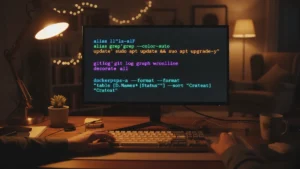
Linux Bash Aliases: Create, Save, and Supercharge Your Terminal Workflow
Learn how to create and manage Linux bash aliases to speed up your terminal. Practical examples for navigation, safety, system admin, and networking shortcuts.
-
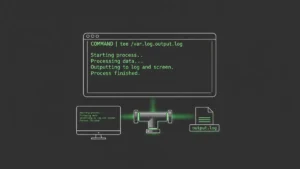
How to Use tee Command in Linux: The Output Tool Every Admin Needs
Learn how to use the Linux tee command to write output to files and terminal simultaneously. Real examples: sudo tee, append mode, stderr capture, and scripting.
-
How to Use fdisk in Linux: Partition Disks the Right Way
Learn how to use fdisk in Linux to create, delete, and manage disk partitions. Step-by-step guide covering mkfs, fstab, and partition best practices.
-
How to Use GPG in Linux: Encrypt, Sign, and Manage Keys
Learn how to use GPG in Linux to encrypt files, sign data, and manage keys. Complete command guide with real examples for sysadmins and beginners.
-
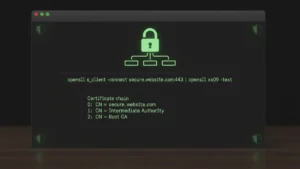
How to Use openssl in Linux: The Command Every Sysadmin Needs
Learn how to use the openssl command in Linux for certificate inspection, key generation, SSL testing, and file encryption. Complete sysadmin guide with examples.
-
How to Use cat Command in Linux: Read, Combine, and Create Files
Learn the Linux cat command with real examples: view files, concatenate, create with heredoc, and avoid the useless use of cat anti-pattern.
-
How to Use grep Command in Linux: The Text Search Tool Every Admin Needs
Master the grep command in Linux with practical examples. Learn essential flags, regex patterns, recursive search, and real-world sysadmin use cases.
-
How to Use fzf Command in Linux: The Fuzzy Finder Every Admin Needs
Learn how to use fzf, the interactive fuzzy finder that transforms Linux productivity. Install, configure, and master essential workflows with real examples.
-
How to Use nmap Command in Linux: The Network Scanner Every Admin Needs
Learn how to use nmap in Linux for network scanning, security audits, and port discovery. Complete guide with examples, best practices, and legal considerations.
-
How to Use netstat Command in Linux: The Legacy Tool You Still Need to Know
Learn how to use netstat command in Linux to monitor network connections, check listening ports, and troubleshoot network issues. Includes modern alternatives.
-
How to Use htop Command in Linux: The Interactive Monitor Every Admin Needs
Learn how to use htop command in Linux with this complete guide. Master process monitoring, function keys, and troubleshooting with real-world examples.
-
How to Use jq Command in Linux: The JSON Processing Tool Every Admin Needs
Master the jq command in Linux for powerful JSON processing. Learn practical examples, filters, and real-world use cases for parsing APIs and logs.
-
How to Use tr Command in Linux: The Text Transform Tool Every Admin Needs
Master the tr command in Linux with practical examples, common mistakes to avoid, and real-world use cases. Learn when to use tr vs sed vs awk for text…
-
How to Use dig Command in Linux: The DNS Tool Every Admin Needs
What is the dig Command (And Why DNS Matters More Than You Think) Learning how to use dig command in Linux transformed the way I troubleshoot network issues.…
-
How to Use strace Command in Linux: The System Call Tracer Every Admin Needs
Learn how to use strace command in Linux to trace system calls, debug processes, and troubleshoot performance issues. Complete guide with real-world examples.



Related topics
- Linux sysadmin 113
- Linux commands 62
- Almalinux 21
- Linux networking 20
- Linux troubleshooting 20
- Linux security 17
- Shell scripting 16
- Bash 14
- Open source backup 13
- Ubuntu 12
- Homelab 11
- Systemd 10
