sar Command in Linux: Monitor Historical System Performance Like a Pro
Monitor CPU, memory, disk I/O, and network—historically. Learn how to install sysstat and use the sar command in Linux to analyze past performance.

Root access to modern finance.
Monitor CPU, memory, disk I/O, and network—historically. Learn how to install sysstat and use the sar command in Linux to analyze past performance.

Learn how to use Linux nice and renice commands to control process CPU priority. Practical examples for sysadmins managing servers, backups, and builds.
Learn how to use the lsblk command in Linux with real examples. View block devices, UUIDs, and storage layout with essential options covered.

Learn how to use the vmstat command in Linux to monitor CPU, memory, swap, and I/O in real time. Includes output explanation and troubleshooting examples.
Configure /etc/fstab in Linux to automate disk mounting. Learn the six fields, UUID vs device names, key mount options, and how to recover if something breaks.

Use the Linux SSH config file (~/.ssh/config) to create aliases, configure ProxyJump, and manage multiple servers without typing long commands.

Learn how to use the find command in Linux to search files by name, type, size, permissions, and time — with real sysadmin examples and exec tricks.
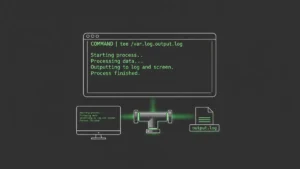
Learn how to use the Linux tee command to write output to files and terminal simultaneously. Real examples: sudo tee, append mode, stderr capture, and scripting.
Learn how to use rsync in Linux to sync files locally and remotely over SSH. Covers options, examples, automation with cron, and common mistakes to avoid.
Learn how to use cron jobs in Linux with crontab syntax, real-world examples, output logging, and troubleshooting tips. Automate tasks like a pro sysadmin.
Learn how to create a custom systemd service in Linux with step-by-step examples. Write unit files, enable auto-start, and debug like a pro.
Add a user in Linux the right way. This guide covers useradd, adduser, passwd, usermod, userdel, and granting sudo access with real examples.
Learn how to use sysctl in Linux to read, modify, and persist kernel parameters. Covers vm.swappiness, network tuning, security hardening, and /etc/sysctl.conf.
Learn how to use the Linux diff command to compare files and configs. Covers output reading, key flags, directory comparison, and the diff+patch workflow.
Master the grep command in Linux with practical examples. Learn essential flags, regex patterns, recursive search, and real-world sysadmin use cases.
Master the netcat (nc) command in Linux with real examples. Learn port scanning, file transfers, connection testing, and banner grabbing every sysadmin needs.
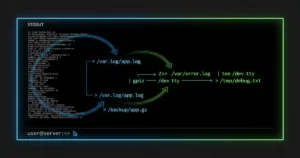
Master Linux output redirection with stdin, stdout, and stderr. Learn pipes, file descriptors, 2>&1, and /dev/null through practical examples every admin needs.

Learn how to use the SCP command in Linux to securely transfer files between systems. Includes syntax, real-world examples, troubleshooting tips, and security best practices.
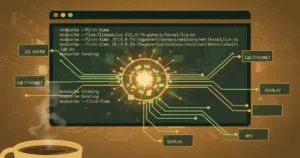
Learn how to use modprobe to load and manage Linux kernel modules. Complete guide with practical examples, common errors, and best practices for system administrators.
Learn how to use fzf, the interactive fuzzy finder that transforms Linux productivity. Install, configure, and master essential workflows with real examples.
 The biggest onchain exchange
Centralized-exchange speed, but your funds stay in your own wallet. No account, no KYC.
Try Hyperliquid