Best Linux Tiling Window Manager in 2026: I Tested 5 (Hyprland Won)
Compare the 5 best Linux tiling window managers in 2026 — Hyprland, Sway, i3, Niri, and dwm. I tested each for performance, config ease, and daily use.

In this article
Picking the best Linux tiling window manager 2026 has to offer is one of those decisions that quietly reshapes your entire workflow. I know because I’ve been bouncing between them for years, and I just spent the last few months testing the top five back-to-back on my main rig and a backup laptop. Spoiler: Hyprland won, but the answer for you might be different — and I’ll walk you through why.
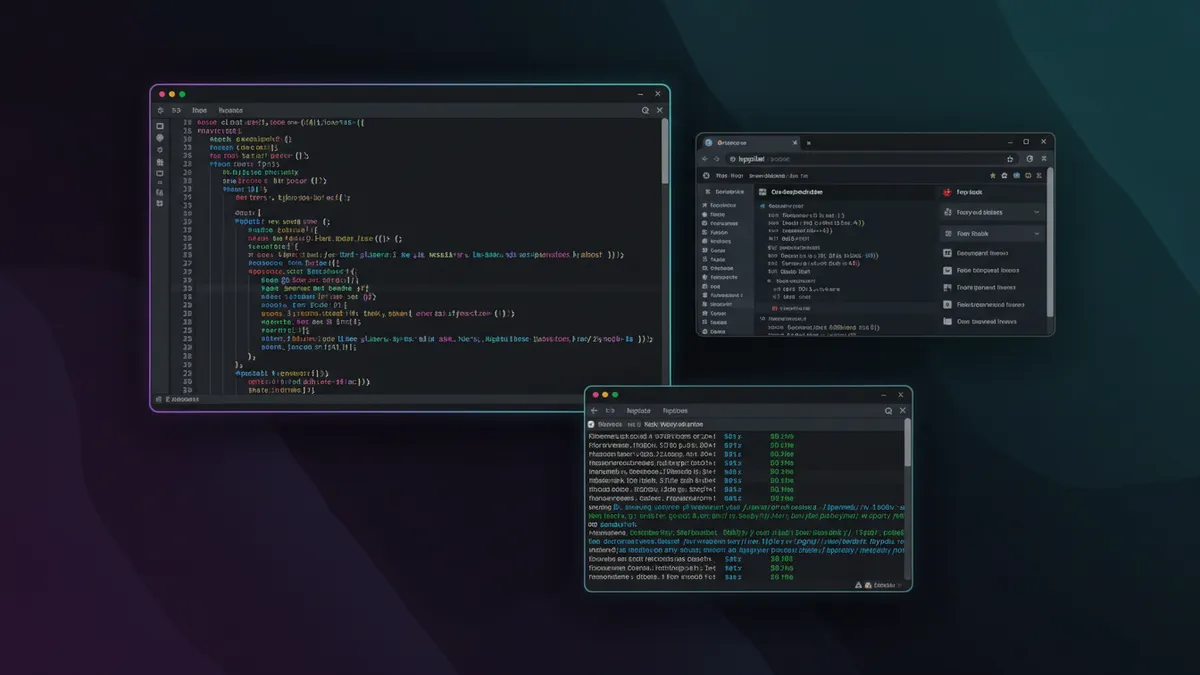
Quick answer: For most users in 2026, Hyprland is the best Linux tiling window manager — it’s a modern Wayland compositor with animations, blur, and an active community. Sway is the safer pick if you want stability over flash. i3 is still king on X11 and the easiest to learn.
Why I Finally Ditched My Desktop Environment
I started on Ubuntu 8.04 back in the day, riding GNOME 2 like everyone else. When GNOME 3 dropped and broke my muscle memory, I rage-quit to i3 in a weekend and never really looked back. These days I’m on Hyprland, but the journey from “I need a Start menu” to “my whole computer is keyboard bindings” took years.
A tiling window manager is exactly what it sounds like: instead of windows floating around like sticky notes you have to drag and resize, the WM tiles them — splitting your screen automatically so every window gets a clean, non-overlapping piece of real estate. No more Alt-Tab roulette. No more hunting for that one terminal you opened 20 minutes ago.
This is fundamentally different from a full desktop environment. If you want the whole package — panels, file managers, settings apps, the works — go read my roundup of the best Linux desktop environments in 2026. Tiling WMs strip all of that away. You bring your own bar, your own launcher, your own everything. It’s not for everyone.
So who is this guide for? Developers who live in the terminal. Sysadmins who SSH into more boxes than they can count. Power users who’d rather hit Mod+Enter than reach for a mouse. If that’s you, keep reading. If you just want a pretty desktop that works, Hyprland might still convert you — but Sway or i3 are usually the better starting point.
What I Tested and How I Judged Them
Testing Environment
I ran every WM on two boxes for at least two weeks each. My main daily driver runs Arch Linux (BTW), and my testing laptop runs Ubuntu 24.04 LTS — partly because I wanted to see how each compositor behaves outside of the Arch echo chamber. Hardware was nothing fancy: a Ryzen 7 desktop with an AMD GPU and an older ThinkPad with integrated graphics.
I also kept a few Linux monitoring tools running in the background — htop, btop, and a custom script that logged compositor RAM usage every minute. I wanted real numbers, not vibes.
Scoring Criteria
Here’s what I weighted when I ranked them:
- Setup difficulty: How long from “fresh install” to “I can actually work in this”?
- Config flexibility: Can I bend it to my workflow, or does it bend me to its?
- Wayland or X11 support: The protocol divide matters more than ever in 2026.
- Performance: Idle RAM, frame pacing under load, and crash frequency.
- Visual quality: Animations, blur, rounded corners — the eye-candy factor.
- Community and docs: When something breaks at 2am, can I find the answer?
I’ll tell you up front — there’s one feature that landed in February 2026 that completely shifted my ranking. We’ll get to it in section three.
The 5 Best Linux Tiling Window Managers in 2026
1. Hyprland — Best Overall
Hyprland is a 100% independent, dynamic tiling Wayland compositor. It was first released in June 2022 by a developer who goes by Vaxry, and in less than four years it’s gone from a hobby project to having over 10,000 stars on the Hyprland GitHub repository. The r/hyprland subreddit has 50k+ members. The 2025 Arch Linux survey put Hyprland at 26% desktop preference — second only to KDE Plasma at 36%, and ahead of GNOME at 10%.

That feature I teased? Hyprland v0.54 (Feb 2026) added per-workspace layouts. Each workspace — and even each monitor — can have its own tiling layout independently. I have my code workspace using dwindle, my browsing workspace using master, and my chat workspace floating. It used to require ugly hacks. Now it just works.
Visually, Hyprland is the prettiest WM I’ve ever used. Smooth window animations, Dual-Kawase blur on transparent surfaces, rounded corners, gradient window borders. It looks like macOS-meets-cyberpunk, and none of those features are accidents — they’re deliberately not in Sway, which is the philosophical opposite.
The downside: Wayland-only. If you have an Nvidia card on older drivers or you absolutely need X11 apps to behave perfectly, Hyprland will frustrate you. The community has gotten really good about XWayland fixes, but it’s not zero-friction.
2. Sway — Best for Stability and i3 Migration
Sway is the boring, stable, professional choice — and I mean that as a compliment. It’s a drop-in Wayland replacement for i3 with near-100% config compatibility. I literally copied my ~/.config/i3/config to ~/.config/sway/config, changed about three lines, and was up and running.
It’s built on wlroots (the same library Hyprland forked from years ago), and it has been rock-solid in every test environment I’ve thrown it at. No animations. No blur. No frills. Just a fast, predictable tiling WM that gets out of the way.
I run Sway on my homelab “kiosk” box — a tiny Intel NUC connected to a TV that runs monitoring dashboards 24/7. It’s been up for 287 days at the time of writing. I’ve never had to think about it.
3. i3 — Best for X11 / Beginners
If Sway is the boring professional, i3 official documentation is the textbook. i3 is the X11 OG. Tree-based manual tiling — you explicitly tell it to split horizontally or vertically, and windows go exactly where you put them.
The docs are the cleanest in the entire tiling WM ecosystem. The config syntax is plain English. I genuinely think i3 is the easiest tiling WM to learn from scratch, and I still recommend it to anyone curious about the paradigm.
It’s also the right answer if you’re stuck on X11 — older Nvidia drivers, a screen reader that doesn’t play well with Wayland, or an accessibility tool that just hasn’t been ported. i3 is still actively maintained in 2026, and it’s not going anywhere.
4. Niri — Most Unique (Scrollable Tiling)
Niri is the weird one, and I mean that with love. Written in Rust. Wayland-native. And instead of splitting the screen the way every other tiling WM has done since the dawn of time, Niri scrolls.
You open a new window — it appears to the right of the current one. Open another — it appears to the right of that. You scroll horizontally through your windows like a giant infinite desktop. It’s heavily inspired by PaperWM, and once you stop fighting it, it kind of breaks your brain in a good way.
Multi-monitor support is first-class — workspaces are per-monitor, which feels right when you have three displays. XWayland support comes via xwayland-satellite, which I had to set up manually but it works fine for legacy apps.
I tested Niri for two weeks. I didn’t fall in love, but I see why people do. If you have a workflow that involves a lot of windows that you need to compare side-by-side, give it a real shot.
5. dwm — Most Minimal (Compile to Configure)
dwm is the suckless.org philosophy taken to its logical extreme. Configuration happens by editing the C source code and recompiling. The entire codebase is around 2,000 lines. There’s no config file. There’s just config.h, your text editor, and make.
I’m not going to pretend this is for everyone. It’s barely for me — I keep dwm installed on a tiny ARM dev board where every megabyte matters. But there’s something genuinely meditative about reading the entire source of your window manager in an afternoon. You can’t say that about KDE.
If you’re an advanced user who wants total control and zero abstractions, dwm is the answer. For everyone else, it’s an interesting curiosity.
Head-to-Head Comparison Table
Here’s the at-a-glance breakdown. For an even more exhaustive matrix, check the ArchWiki comparison of tiling window managers — they keep it remarkably current.
| WM | Display | Tiling | Animations | Config | Learning Curve | RAM Use | Community |
|---|---|---|---|---|---|---|---|
| Hyprland | Wayland | Dynamic / Dwindle | Yes | .conf |
Medium | Low | Very Large |
| Sway | Wayland | Manual / Tree | No | i3-style | Low | Very Low | Large |
| i3 | X11 | Manual / Tree | No | Plain text | Low | Very Low | Very Large |
| Niri | Wayland | Scrollable | Yes | KDL / TOML | Medium | Low | Growing |
| dwm | X11 | Manual | No | C source | High | Extremely Low | Niche |
“By removing the weight of a full desktop environment and mastering a tool like Sway or i3, you fundamentally change how you interact with your computer.” — FOSS Linux Community
That quote nails it. The shift isn’t aesthetic — it’s cognitive.
Which Tiling Window Manager Should You Choose?
Let me make this dead simple. Match yourself to the closest description:
- You want beautiful visuals + modern Wayland? → Hyprland
- You’re coming from i3 and want Wayland stability? → Sway
- You’re new to tiling WMs or still on X11? → i3
- You’re a multi-monitor heavy user who thinks differently about workspaces? → Niri
- You’re an absolute minimalist who wants to read the source? → dwm
Whichever one you pick, the WM is only half the battle. The other half is the rest of your terminal-first stack. Don’t pair Hyprland with GNOME Terminal and call it a day — grab the best terminal emulator for Linux and pair it with the best Linux shell in 2026. Then drop in tmux for terminal multiplexing and you’ve got a workflow that’ll embarrass anyone still mousing around.
Pro tip from the trenches: Both Hyprland and Sway need a few environment variables in your config to play nicely with apps and toolkits — things like WAYLAND_DISPLAY, XDG_SESSION_TYPE, and QT_QPA_PLATFORM. If you’ve never set environment variables in a WM context before, read that guide before your first launch. You’ll save yourself an hour of debugging.
Almost every keybinding in your config will eventually call a small shell script — that’s just how it goes. So learn to write bash scripts and set up your bash aliases early. When something breaks, knowing how to search config files with grep is the difference between fixing it in 30 seconds and ragequitting.
Final Verdict: Hyprland Is Worth the Hype in 2026
I came into this round of testing skeptical. Hyprland has had its share of community drama, and I figured the hype was overblown. It wasn’t. The combination of visual polish, active development, the new per-workspace layouts in v0.54, and the genuinely massive community puts it ahead of everything else for most users in 2026.
That said — Sway is the safe professional choice. If I were setting up a workstation for a junior engineer at a job, I’d give them Sway. If I were setting up my own machine, I’d give myself Hyprland. They’re not really competing; they’re answering different questions.
And i3 remains the perfect learning WM. There’s no shame in starting there. I did. Most people who end up loving Hyprland or Sway started on i3 first.
“I can’t use a desktop environment anymore. My whole workflow shifted from GUI to CLIs.” — Developer testimonial, DEV Community
That’s the real before-and-after. After a week with any tiling WM, your mouse usage will drop dramatically. After a month, you’ll find yourself frustrated when you have to use someone else’s “normal” computer. It’s a one-way door, and I mean that as a compliment.
What to read next
If you’re going to invest in a new WM, invest in the rest of your toolkit too. I’d start with my guide to terminal productivity hacks — it’s the natural follow-up to this article. Then check out the best text editor for Linux roundup, since a tiling WM and a keyboard-first editor were made for each other. And if you’re security-conscious — and you should be, since minimal WMs reduce your attack surface — my breakdown of the best Linux security tools is a great companion read.
Pick a WM. Give it a real week — not 20 minutes. Edit your config. Bind your own keys. Then come back and tell me you still want to drag windows around with a mouse. I’ll wait.