How to Configure SELinux on Linux: Modes, Contexts, and Real-World Fixes
Learn how to configure SELinux on Linux: check and switch modes, manage file contexts, troubleshoot denials, and use booleans to harden your servers.

In this article
I want to teach you how to configure SELinux on Linux the right way, because the wrong way is the way I learned it: by panicking and shutting it off. If you’ve ever inherited a RHEL box, hit a weird permission error, and felt your hand drifting toward setenforce 0, this guide is for you. SELinux isn’t your enemy — it’s just a coworker who never read your mind.
According to a 2025 industry survey, 55.6% of enterprise Linux environments now enforce SELinux or AppArmor. That’s the majority of production servers running mandatory access control by default. Disabling it isn’t a fix — it’s a footgun. Let’s actually learn the tool.
Quick answer: To configure SELinux, check status with sestatus, switch modes with setenforce 0/1, set file labels with semanage fcontext + restorecon, toggle policy with setsebool -P, and debug denials with ausearch -m avc -ts recent | audit2why. Keep it in enforcing mode in production.
Introduction: Stop Disabling SELinux and Actually Learn It
My first real sysadmin job had me staring at a RHEL 6 server that wouldn’t serve a static HTML file from /srv/sites/. Permissions looked fine. chmod 755, owned by Apache, the works. But every request kicked back a 403. I did what every junior sysadmin does on day three — I Googled the error, found a Stack Overflow answer that said “just disable SELinux,” and ran setenforce 0. The site came up. I felt like a hero.
Then my senior engineer walked over, looked at my terminal, and asked very calmly: “Did you just turn off the security system on a production box?” I will never forget the look on his face. We re-enabled SELinux, ran two semanage commands, and the site worked exactly as well — with the security model intact. That was the day I actually learned this tool.
This guide walks you through the same path. We’ll cover the three modes, how to check status, contexts (the part everyone fears), booleans (the part everyone forgets exists), denial troubleshooting, and three real-world web server fixes. I’ll also share the one mistake I made years later with audit2allow that taught me to slow down. There’s a cheatsheet at the end — bookmark it.
What Is SELinux (And Why Linux Needs It)
SELinux stands for Security-Enhanced Linux. It was originally developed by the NSA, open-sourced in 2000, and merged into the mainline Linux kernel in 2003. It adds a mandatory access control layer on top of the standard Linux permissions you already know.
“SELinux does not worry so much about executing individual programs, although it can do this. SELinux is basically about defining the access of a process type.” — Dan Walsh, Red Hat Consulting Engineer and primary SELinux maintainer (Red Hat’s SELinux overview)
DAC vs. MAC: Why Standard Linux Permissions Aren’t Enough
Standard Linux permissions are Discretionary Access Control (DAC). The owner of a file decides who can read or write it. That’s chmod, chown, and your friend the sudoers file. DAC has one big weakness: if a process is compromised, it inherits all of its user’s powers. A hijacked Apache process running as apache can read every file apache can read — which on a misconfigured box is a lot.
Mandatory Access Control (MAC), which SELinux provides, layers a kernel-enforced policy on top. Even if a process is compromised, it can only do what the policy explicitly allows. That’s defense in depth — the same reason we pair SELinux with nftables firewall rules, LUKS disk encryption, and GPG encryption. No single layer is enough.
Which Distros Use SELinux by Default
- Enforcing by default: RHEL, CentOS, Fedora, Rocky Linux, AlmaLinux
- Available, not default: Debian, Ubuntu (these ship AppArmor instead)
- New in 2025: openSUSE switched from AppArmor to SELinux as its default MAC framework — a meaningful signal of broader industry adoption
The Three SELinux Modes
Before you touch anything, understand the modes. There are exactly three, and the difference matters.
Enforcing Mode
Policy is actively enforced. Violations are blocked and logged in /var/log/audit/audit.log. This is what you want in production. If something breaks, you debug it — you don’t disable the security model.
Permissive Mode
Policy is not enforced, but violations are still logged. This is a debugging mode. I use it when I want to see every denial a workload would generate without blocking anything. Never leave production servers in Permissive.
Disabled Mode (Please Don’t)
SELinux is completely off. Nothing is enforced. Nothing is logged. Worse, your filesystems start losing their security labels because nothing maintains them. Re-enabling later is painful — you have to relabel the whole filesystem. There’s a reason this is the option of last resort.
Checking SELinux Status
The first two commands you should commit to muscle memory:
# Quick one-word answer
$ getenforce
Enforcing

# Full details
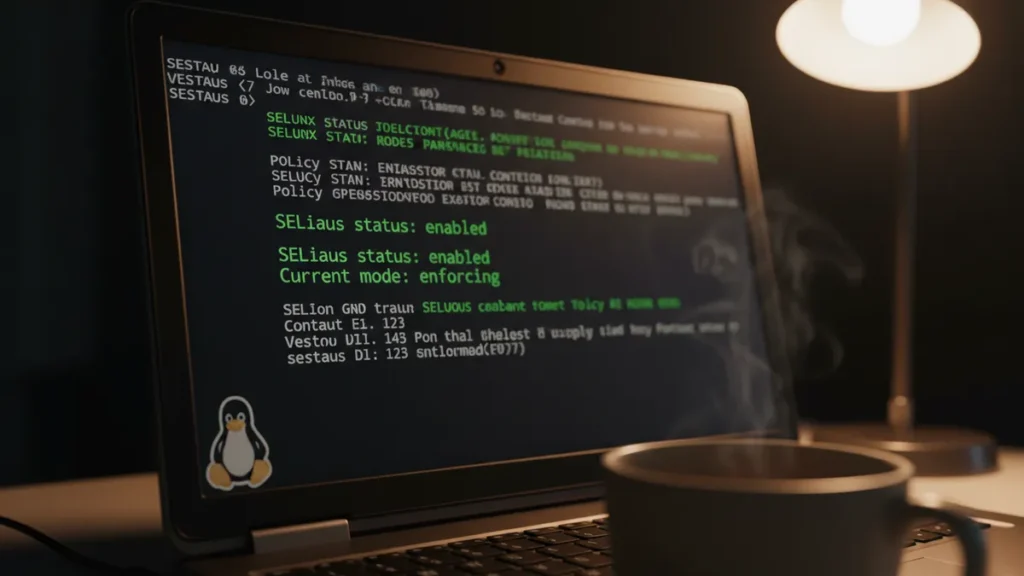
$ sestatus
SELinux status:                 enabled
SELinuxfs mount:                /sys/fs/selinux
SELinux root directory:         /etc/selinux
Loaded policy name:             targeted
Current mode:                   enforcing
Mode from config file:          enforcing
Policy MLS status:              enabled
Policy deny_unknown status:     allowed
Memory protection checking:     actual (secure)
Max kernel policy version:      33

# The permanent config file
$ cat /etc/selinux/config
SELINUX=enforcing
SELINUXTYPE=targeted
SELINUXTYPE=targeted is the practical middle ground and the default everywhere. The other option, mls (multi-level security), is for government and defense workloads and is far more restrictive. Stick with targeted unless you have a very specific reason not to.
Switching SELinux Modes
Temporary Mode Changes with setenforce
setenforce 1    # Enforcing  (immediate, not persistent across reboot)
setenforce 0    # Permissive (immediate, not persistent across reboot)
I lean on setenforce 0 as a diagnostic, not a fix. If a problem goes away in Permissive, I know SELinux is denying something — and the audit log will tell me exactly what. Then I flip it back to Enforcing and fix the underlying context or boolean.
Permanent Mode Changes in /etc/selinux/config
Edit /etc/selinux/config, change the SELINUX= line, and reboot. One critical gotcha:
Warning: You cannot use setenforce to go from Disabled to Enforcing. You must edit the config, then touch /.autorelabel, then reboot. The autorelabel triggers a full filesystem relabel — on a big disk this can take a while.
Understanding SELinux Contexts
Every file, process, port, and user in SELinux has a label called a security context. The format is user:role:type:level, e.g. system_u:object_r:httpd_sys_content_t:s0. In day-to-day work, only the type matters. It’s the field that controls what processes can touch what files.
Viewing File and Process Contexts
# Files
ls -Z /var/www/html

# Processes
ps axZ | grep nginx

# Search for files with a specific context
find /srv -context "*httpd_sys_content_t*"
That last one pairs nicely with the find command if you ever inherit a server and need to audit what’s labeled what.
Changing File Contexts with chcon and restorecon
chcon is a temporary tool — its changes don’t survive a relabel. restorecon puts files back to whatever the policy says they should be.
# Temporary: change type to httpd_sys_content_t
chcon -t httpd_sys_content_t /srv/mysite

# Restore to policy default
restorecon -R -v /var/www/html
Making Permanent Context Rules with semanage fcontext
For a permanent fix, you teach the policy about your path, then run restorecon:
semanage fcontext -a -t httpd_sys_content_t '/srv/mysite(/.*)?'
restorecon -R -v /srv/mysite
Rule of thumb: chcon for poking around, semanage fcontext + restorecon for anything you want to stay fixed. If you forget this and use chcon in production, the next relabel will undo your work and you’ll be debugging the same problem twice.
Working with SELinux Booleans
Booleans are on/off switches that tweak policy behavior without writing custom modules. Red Hat ships hundreds of them for common scenarios. Think of them as preset policy adjustments. I once spent three hours writing a custom policy module before realizing the boolean I needed had been there the whole time. Now I always check booleans first.
Listing and Checking Booleans with getsebool
# Every boolean on the system
getsebool -a

# Just the httpd-related ones
getsebool -a | grep httpd

# Get a description
semanage boolean -l | grep httpd_can_network_connect
Enabling and Disabling Booleans with setsebool
setsebool httpd_can_network_connect on        # temporary
setsebool -P httpd_can_network_connect on     # PERMANENT (-P writes policy)
The -P flag is the difference between “works until reboot” and “actually fixed.” If you forget it, you’ll be back here in a week wondering why everything broke after a kernel update.
Practical Boolean Examples Every Sysadmin Needs
- httpd_can_network_connect: Apache/Nginx connects to upstream proxies or APIs
- httpd_can_network_connect_db: Web server connects to a remote database
- httpd_use_nfs: Web server reads content from NFS-mounted storage
- httpd_enable_homedirs: Apache serves files from user home directories
Troubleshooting SELinux Denials
Every denial gets logged to /var/log/audit/audit.log as an AVC (Access Vector Cache) message. The trick is reading them.
Reading the Audit Log
ausearch -m avc -ts recent     # last few minutes of denials
ausearch -m avc -ts today      # today's denials
Understanding Denials with audit2why
Raw AVC messages are noisy. audit2why turns them into plain English and often suggests a fix:
ausearch -m avc -ts recent | audit2why
Nine times out of ten, the suggested fix is a boolean. Run it, move on with your day.
Generating Policy Rules with audit2allow (And When NOT To)
For the rare case where there’s no boolean and no context that fits, you can generate a custom module:
ausearch -m avc -ts recent | audit2allow -M mypolicy
semodule -i mypolicy.pp
Hard-earned warning: I once piped a giant ausearch result into audit2allow without reading it. It generated a module that essentially gave a custom process SELinux superpowers — exactly the thing SELinux exists to prevent. The site worked. The auditor was not impressed. Now I always check context and booleans first, and I read every line of generated policy before loading it.
The right debugging flow is: check the file context → try a boolean → only then write a custom policy. audit2allow is to SELinux what chmod 777 is to permissions: it works, but you usually shouldn’t.
Real-World Fix: SELinux and Apache/Nginx
Most denials I see in the wild involve web servers. Here are the three fixes I run constantly. They cover roughly 80% of the SELinux problems you’ll hit when deploying Apache web server or Nginx alongside Let’s Encrypt with Certbot and your openssl command for cert work.
Fix 1: Serving Files from a Custom Web Root
semanage fcontext -a -t httpd_sys_content_t '/srv/www(/.*)?'
restorecon -R -v /srv/www
For a writable uploads directory inside that web root:
semanage fcontext -a -t httpd_sys_rw_content_t '/srv/www/uploads(/.*)?'
restorecon -R /srv/www/uploads
Fix 2: Allowing a Non-Standard Port
Want Apache on port 8080? SELinux blocks non-standard ports by default — same way it’ll block weird ports on your SSH config file or SSH tunneling setups.
semanage port -l | grep http_port_t          # see what's allowed
semanage port -a -t http_port_t -p tcp 8080  # add 8080
Fix 3: Enabling Backend Network Connections
setsebool -P httpd_can_network_connect on       # PHP-FPM, Node proxy, etc.
setsebool -P httpd_can_network_connect_db on    # remote database
And if you’ve built a custom systemd service that ties into the web stack, you may need to give its binary a context too — same workflow with semanage fcontext.
SELinux Quick Reference Cheatsheet
| Command | What It Does |
|---|---|
getenforce |
Quick mode check (Enforcing / Permissive / Disabled) |
sestatus |
Full SELinux status report |
setenforce 0/1 |
Temporary switch to Permissive / Enforcing |
ls -Z / ps axZ |
View file or process contexts |
chcon -t TYPE FILE |
Temporary context change |
semanage fcontext -a -t TYPE 'PATH(/.*)?' |
Permanent context rule |
restorecon -R -v PATH |
Apply policy contexts to files |
getsebool -a |
List all booleans and their state |
setsebool -P NAME on |
Permanent boolean change |
ausearch -m avc -ts recent |
Show recent denials |
audit2why |
Explain denials in plain English |
audit2allow -M name |
Generate a custom policy module (use sparingly) |
semanage port -a -t TYPE -p tcp PORT |
Allow a non-standard port |
Where to Go From Here
SELinux is one layer of a hardened Linux box. Pair it with a proper firewall — either firewalld on RHEL-family systems or nftables on the rest — and look at the bigger picture in my roundup of the best Linux security tools for 2026. If you want to go deeper on RHEL-specific policy, bookmark Red Hat’s official SELinux documentation and their technical exploration of SELinux hardening.
If you’re automating server provisioning, drop your semanage commands into your config management or a systemd timer so context labels and booleans get applied consistently every time. Future-you will thank present-you.
Most importantly: next time something breaks on a RHEL box, resist the urge to type setenforce 0 and walk away. Run ausearch -m avc -ts recent | audit2why, read what it says, and fix the actual problem. That’s the difference between turning off a smoke alarm and putting out a fire. I learned that the hard way — you don’t have to.